 tinydeskAI / VIDEO STUDIO
The band. The groove. You on lead vocals. Make a Tiny Desk AI video from one portrait and a 19-second performance.
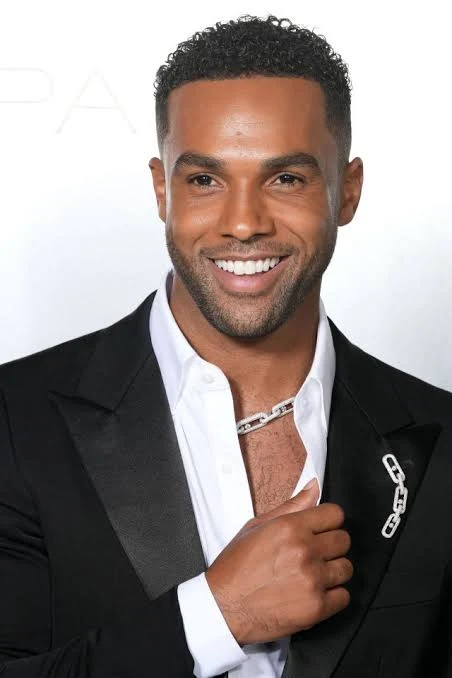 From portrait to performanceSee the source photo and scene breakdown
 Example video. Your result may vary.
Add a portrait. Make it your performance.
Everything you need, in one workspace.
Use a clear, well-lit photo with one visible face.
70 credits per video · View credit packs ↗
Add your portrait, confirm permission,
then make this session your own.
This Tiny Desk AI example pairs the supplied portrait with frames from the supplied video. Notice the face, hair, black jacket and white shirt carrying into the lead performance. Tiny Desk AI should adapt that appearance to the scene, rather than copy the portrait’s pose or background.
This supplied demo illustrates the intended experience. Each portrait can produce a different result. Tiny Desk AI results still need review, especially around profiles, open mouths and camera cuts.
Read the Tiny Desk AI prompt guide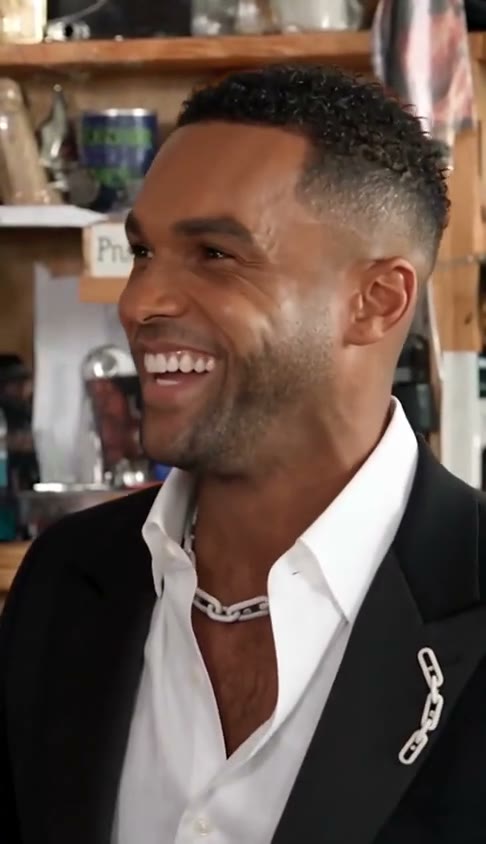
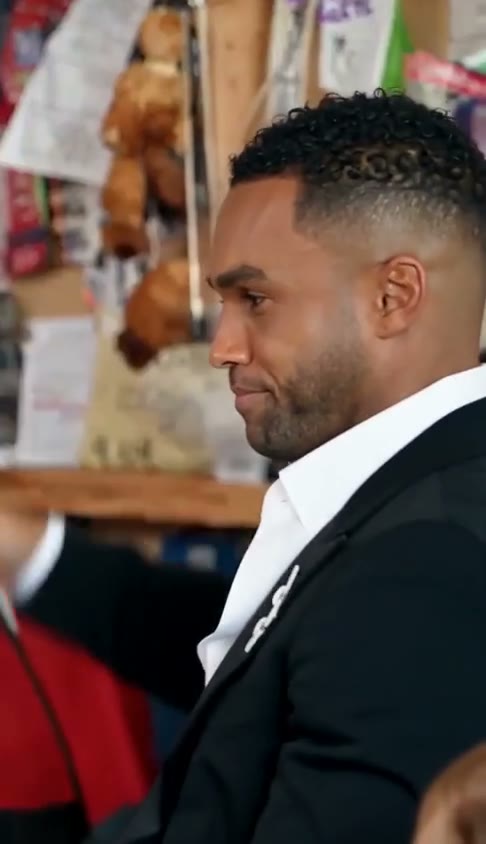 00:00.5
Tiny Desk AI introduces the lead immediately. The portrait should carry into this first side view.
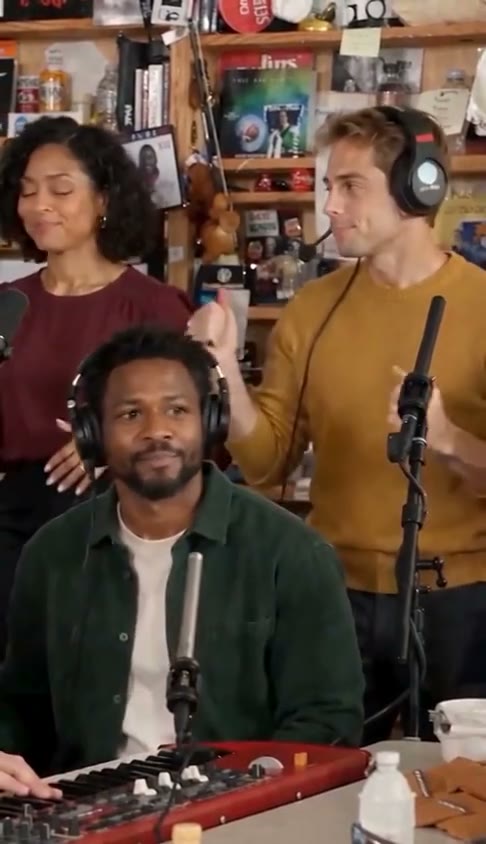 00:04
00:04The keyboardist and backing singers keep the room feeling like one shared performance.
00:09Tiny Desk AI needs a consistent face through smiles, expressions and changes of angle.
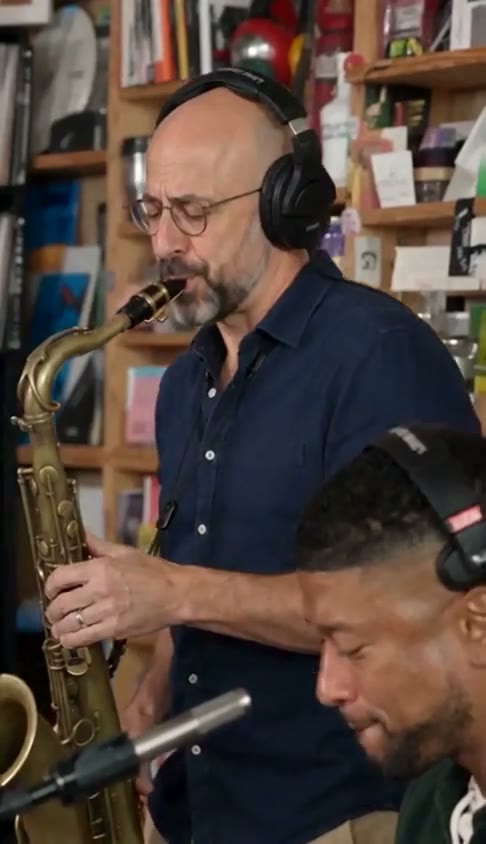 00:14
00:14The preset requests a new fictional adult saxophonist while preserving the instrument, position and playing action.
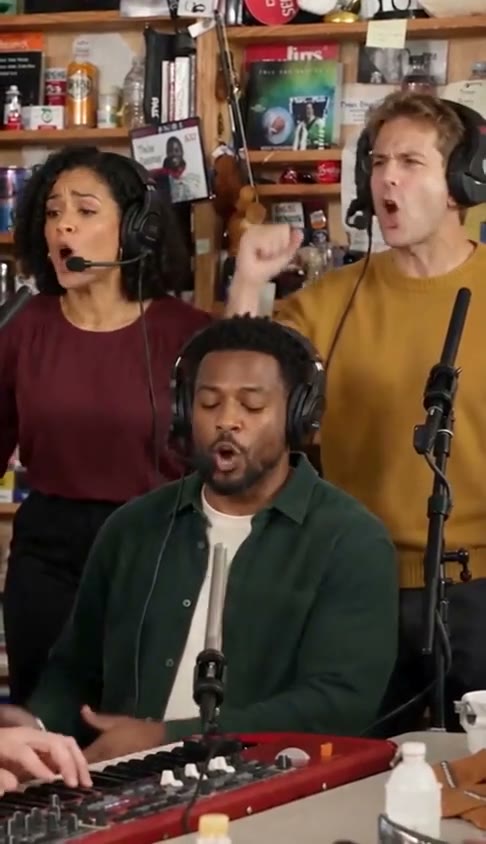 00:18
00:18Check the closing band shot too. Tiny Desk AI should preserve the original shot order.
Start Tiny Desk AI with one clear adult portrait. Face the camera, use even light and leave the eyes, mouth and hairline visible. A head-and-shoulders image usually gives the model more useful detail than a distant full-body photo. Use your own picture or one you have permission to edit.
Each Tiny Desk AI session uses 70 credits for a 19-second video with a 480p target output. The current preset uses one portrait for the lead vocalist. The reference supplies band positions, camera cuts and performance timing. No second portrait is needed. The prompt requests a fresh fictional adult supporting cast for each video, with consistent appearances within the clip. Cast variety and perfect consistency are not guaranteed.
When a Tiny Desk AI task finishes, review the whole MP4 before sharing. Check the first frame, side profiles, hands near the face and every camera cut. Listen for alignment with the performance. Results may vary; keep the take you like and download it from your account.
Tiny Desk AI turns one portrait into a short performance video, with the uploaded person as lead vocalist. The format uses an intimate room and a close band arrangement. The prompt asks for a fresh fictional adult supporting cast for each video, with consistent appearances within the clip. Band roles, positions and the number of people follow the reference; results may vary.
Outstanding Tiny Desk AI is one song-associated version of that idea. Our Tiny Desk AI workflow uses a fixed reference to preserve the musical sequence instead of inventing a different concert from text alone.
Explore the Outstanding trendFor Tiny Desk AI, start with a sharp image without heavy beauty filters, sunglasses or a hand covering the mouth. A clear hairline and natural skin detail help preserve the person’s appearance.
Your Tiny Desk AI portrait is an identity reference, not a pose reference. There is no need to imitate a singing gesture or photograph someone behind a microphone. The performance comes from the video.
The preset uses the portrait’s clothing and accessories as appearance guidance. Simple, visible details are easier to review across shots than a complicated outfit hidden by a tight crop.
Each 19-second session uses 70 credits with a 480p target output. Purchased credits never expire, and packs are one-time purchases. Failed tasks return their generation credits. Tiny Desk AI results and processing times vary; review each take before sharing.
| Target quality | Credits |
|---|---|
| 480pStandard | 70 |
Photos, credits, music and everything in between.
Get in touchTiny Desk AI is a portrait-to-performance video format inspired by intimate desk concerts. This studio focuses on a short, reference-guided edit: one uploaded person takes the lead while the existing performance supplies the setting and movement.
Outstanding Tiny Desk AI refers to the song-associated meme. Tiny Desk AI is the broader format. A search term alone does not determine a recording, soundtrack license or exact output; the configured reference and audio determine the actual session.
Your portrait guides only the lead vocalist. The prompt asks AI to create new fictional adult faces, hairstyles and outfits for the saxophonist, keyboardist and backing singers, keeping each appearance consistent within the clip. Their roles, positions and the shot sequence follow the reference. Replacement and consistency can vary.
You can explore photo previews without purchasing. Generation requires purchased credits. The demo is a supplied example, not a promise that every portrait will produce an identical result.
Tiny Desk AI generation does not grant rights to a recording, concert footage or someone’s likeness. A matching configured soundtrack completes the workflow. Check the permissions for your intended use before publishing or using a platform’s music catalog.
No. Tiny Desk AI Video is an independent creation tool, not affiliated with NPR, Tiny Desk Concerts or the performers shown. Review AI changes before sharing, and make it clear when a performance has been edited.
One clear portrait is your starting point.